
Table of Contents
ToggleVR gaming techniques separate casual players from those who truly dominate virtual worlds. Whether someone is dodging bullets in a shooter or exploring alien landscapes, the right skills make every session more engaging and comfortable.
Virtual reality gaming has grown rapidly. The technology now offers experiences that feel remarkably real. But that realism comes with a learning curve. Players must adapt their bodies and minds to a completely different way of interacting with games.
This guide covers the essential VR gaming techniques every player should master. From movement systems to physical setup, these skills will help anyone get more from their headset while staying comfortable during extended play sessions.
Key Takeaways
- Master multiple VR gaming techniques like teleportation, smooth locomotion, and room-scale movement to balance comfort with immersion.
- Start with short 15–20 minute sessions and gradually increase playtime to build motion sickness resistance over 2–4 weeks.
- Optimize your physical play space by removing obstacles, using proper lighting, and setting up boundary systems to prevent accidents.
- Develop muscle memory with VR controllers by practicing basic interactions daily and maintaining a relaxed grip for better precision.
- Combat fatigue by taking breaks every 30–45 minutes, staying hydrated, and stretching before and after VR gaming sessions.
- Use comfort tricks like fans for airflow, ginger for nausea, and the 20-20-20 rule to reduce eye strain during extended play.
Understanding Movement and Locomotion
Movement in VR gaming works differently than traditional gaming. Players can’t just push a joystick and expect their brain to cooperate. The disconnect between physical stillness and virtual motion creates challenges that require specific VR gaming techniques to overcome.
Most VR games offer multiple locomotion options. Teleportation lets players point and jump to new locations instantly. This method causes the least discomfort for beginners. Smooth locomotion mimics traditional game movement but can trigger nausea in sensitive players.
Room-scale movement uses physical walking within the play space. This approach feels most natural because the body actually moves. But, it requires adequate space and constant awareness of real-world boundaries.
Experienced players often combine these methods. They might use teleportation for long distances and physical movement for close-range actions. This hybrid approach balances comfort with immersion.
Tips for Better VR Movement
- Start with teleportation if new to VR gaming
- Gradually introduce smooth locomotion in short sessions
- Use snap turning instead of smooth rotation initially
- Keep physical movements deliberate and controlled
- Practice walking in place during smooth locomotion to reduce discomfort
The brain adapts over time. What feels strange during the first week becomes second nature after a month of regular play. Patience with VR gaming techniques pays off in long-term comfort.
Mastering Controller and Hand Tracking
Controllers serve as the primary interface for most VR gaming experiences. Learning proper grip and button placement significantly improves performance. Many players develop bad habits early that limit their skills later.
Most VR controllers feature trigger buttons, grip buttons, thumbsticks, and face buttons. Each game uses these inputs differently. Spending time in tutorial sections helps players understand specific control schemes before jumping into action.
Hand tracking technology has improved dramatically. Some headsets now recognize bare hands without controllers. This creates incredibly natural interactions but requires learning new VR gaming techniques. Players must understand gesture recognition and the tracking volume where hands remain visible.
Controller Best Practices
Grip pressure matters more than most players realize. Holding controllers too tightly causes fatigue and reduces precision. A relaxed grip with firm contact on trigger fingers produces better results.
Button placement should become automatic. Players shouldn’t need to look at controllers or think about which button does what. This muscle memory develops through practice. Spending 15 minutes daily on basic interactions accelerates the learning process.
Wrist straps exist for a reason. VR gaming techniques often involve throwing motions and quick movements. A controller flying across the room ruins the experience and potentially damages equipment.
Hand Tracking Considerations
When using hand tracking, keep movements within the headset’s camera view. Hands that drop too low or move behind the body lose tracking. Deliberate gestures work better than quick, subtle movements. The technology continues improving, but understanding its current limits helps players work within them effectively.
Optimizing Your Physical Play Space
Physical space directly impacts VR gaming quality. A cramped room limits movement options and increases collision risks. Taking time to optimize the play area improves both safety and immersion.
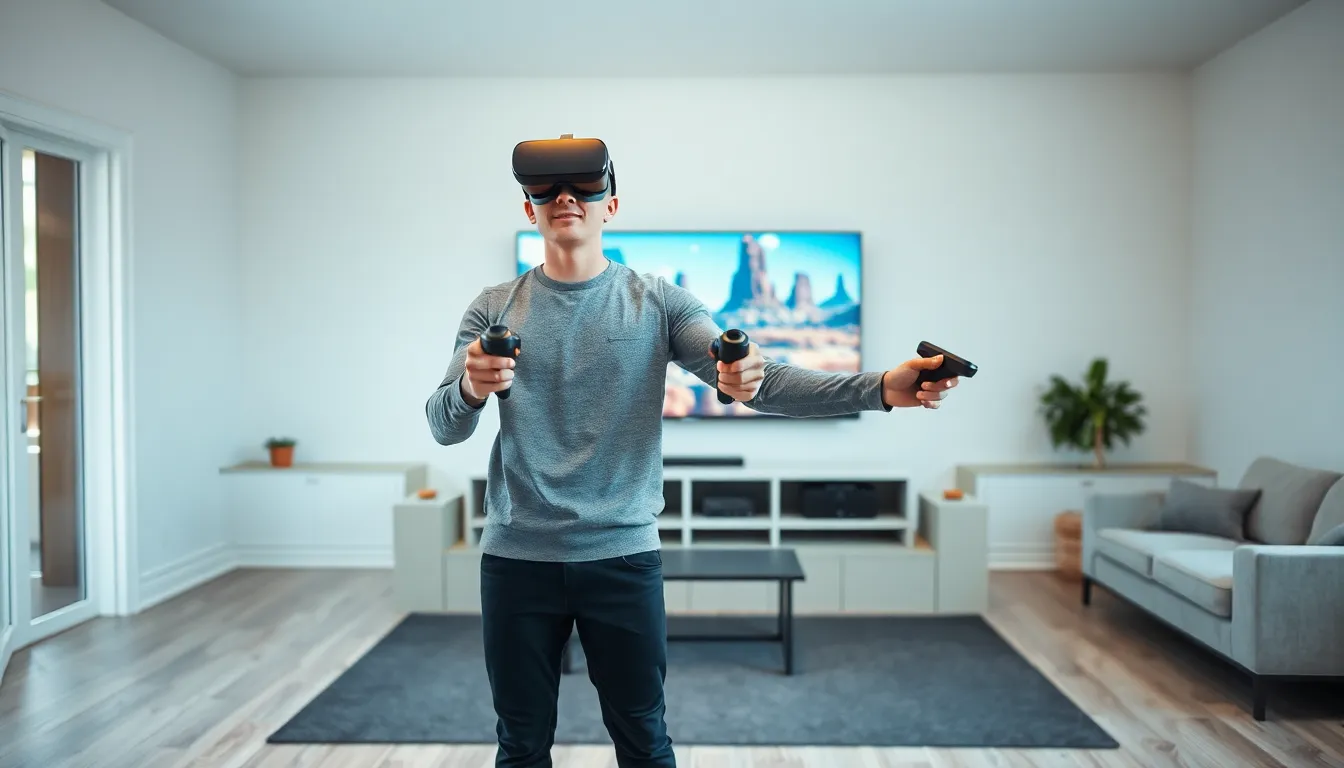
The minimum recommended space measures roughly 6.5 feet by 6.5 feet. Larger areas allow for more dynamic VR gaming techniques. Players with limited space can still enjoy VR but should choose games designed for stationary or seated play.
Setting Up Your Space
Remove obstacles before every session. Furniture, pets, and loose items create hazards. Even experienced players lose spatial awareness during intense moments. That coffee table becomes invisible once the headset goes on.
Lighting affects tracking quality. Most inside-out tracking systems prefer well-lit rooms without direct sunlight. Reflective surfaces like mirrors and glass can confuse cameras. Covering or repositioning these items often solves tracking issues.
Floor markers help players maintain position. A small rug or mat provides tactile feedback about center positioning. This simple trick prevents gradual drift toward walls and obstacles.
Guardian and Boundary Systems
Every major VR platform includes boundary systems. These virtual walls appear when players approach real-world obstacles. Setting boundaries correctly takes just minutes but prevents countless accidents.
Draw boundaries slightly inside actual walls and furniture. This buffer zone accounts for arm reach during VR gaming. Players often extend limbs beyond their body position, especially during combat or sports games.
Some players disable boundaries for seated experiences. This removes visual distractions but only makes sense when movement isn’t required. Standing or room-scale games should always use active boundary systems.
Preventing Motion Sickness and Fatigue
Motion sickness affects many VR players, especially beginners. The sensation occurs when visual input conflicts with physical feedback. Certain VR gaming techniques help minimize this discomfort and extend comfortable play sessions.
Symptoms include nausea, sweating, dizziness, and general discomfort. These feelings can persist for hours after removing the headset. Pushing through sickness rarely helps and often makes future sessions worse.
Strategies for Comfort
Start with short sessions of 15-20 minutes. Gradually increase duration as tolerance builds. Most players develop resistance within two to four weeks of regular exposure.
Ginger helps some players manage nausea. Ginger candies, tea, or supplements before sessions can reduce symptoms. This natural remedy has scientific support for motion sickness in general.
Fans pointed at the face provide physical reference points. The airflow reminds the brain of the body’s actual position and orientation. This simple trick helps many players during smooth locomotion.
Staying hydrated and well-rested improves VR tolerance. Fatigue and dehydration increase susceptibility to motion sickness. Playing when tired or hungry often triggers stronger symptoms.
Physical Fatigue Management
VR gaming provides genuine physical exercise. Action games burn calories and build muscles. But this physical demand causes fatigue that players must manage.
Take breaks every 30-45 minutes during active games. Remove the headset, hydrate, and let eyes refocus on distant objects. These pauses prevent cumulative strain.
Stretching before and after sessions reduces muscle soreness. VR gaming techniques often involve unusual postures and repetitive motions. Basic stretches for arms, shoulders, and legs make a noticeable difference.
Eye strain accumulates during extended sessions. Looking at screens inches from the face taxes visual systems. Following the 20-20-20 rule helps: every 20 minutes, look at something 20 feet away for 20 seconds.


