
Table of Contents
ToggleVR gaming strategies can make the difference between fumbling through virtual worlds and actually dominating them. Whether players are new to virtual reality or looking to sharpen their skills, the right approach transforms the experience completely.
Virtual reality gaming demands more than traditional gaming skills. Players must think about physical space, body movement, and even their own comfort levels. The good news? A few smart adjustments can dramatically improve performance and enjoyment.
This guide covers the core VR gaming strategies that separate casual players from skilled ones. From setting up the perfect play area to mastering combat techniques, these tips apply across most VR platforms and games.
Key Takeaways
- Effective VR gaming strategies start with a proper play space—clear at least 6.5 x 6.5 feet, optimize lighting, and set guardian boundaries with a six-inch buffer.
- Incorporate physical movement like ducking, leaning, and stepping to gain accuracy and tactical advantages over controller-only players.
- Master both teleportation and smooth locomotion movement systems, choosing based on your comfort level and game type.
- Use comfort settings like vignettes and snap turning to prevent motion sickness—even experienced VR players rely on them.
- Build VR tolerance gradually with 15-20 minute sessions initially, and stop immediately at the first sign of nausea.
- Improve combat accuracy by aiming with your dominant eye and controlling your breathing during intense moments.
Setting Up Your Play Space for Success
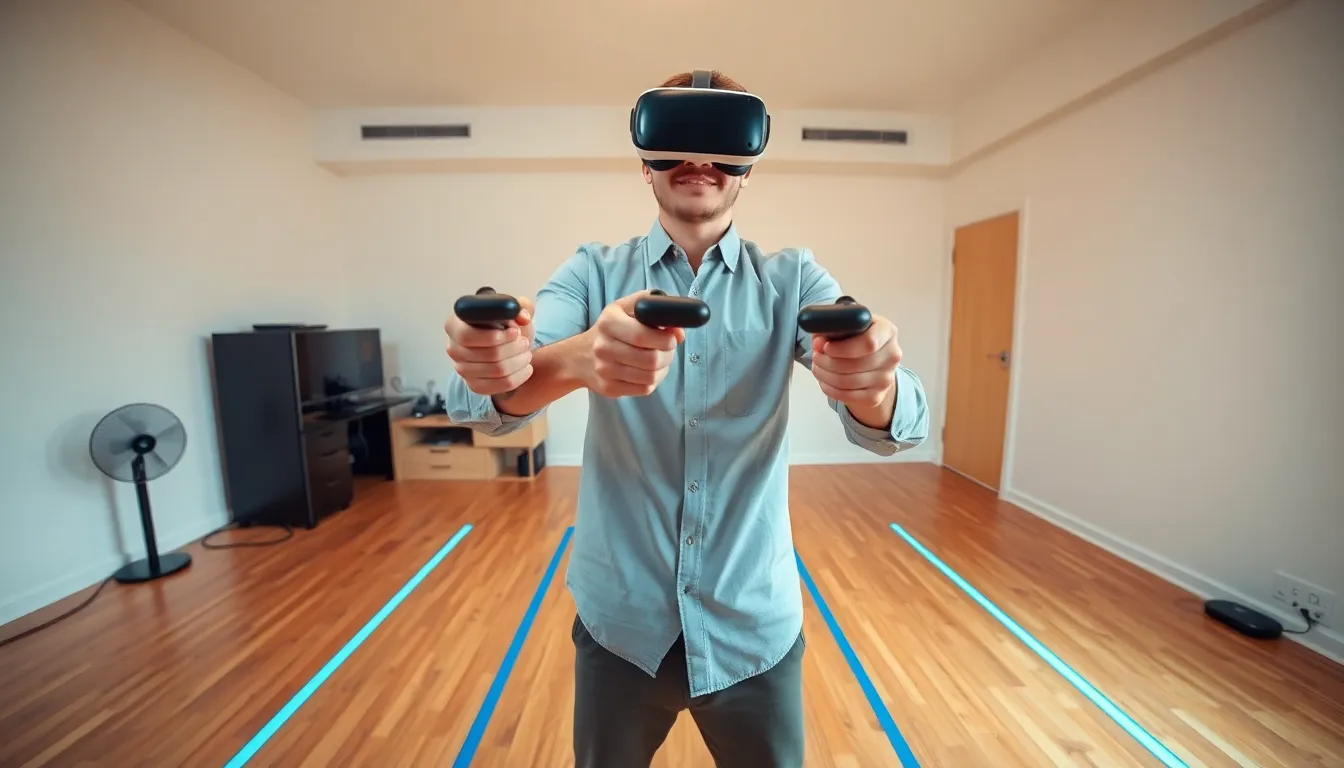
A proper play space forms the foundation of effective VR gaming strategies. Without it, even skilled players will struggle.
Clear the Area Completely
Players need at least a 6.5 x 6.5 foot space for room-scale VR experiences. Remove furniture, cables, and anything breakable from this zone. Many VR accidents happen because players forget about that coffee table behind them.
Hard floors work better than carpet for tracking accuracy. If carpet is the only option, ensure it’s flat and stable.
Optimize Lighting Conditions
Most VR headsets use cameras or sensors that rely on consistent lighting. Avoid direct sunlight hitting the play area, it can confuse tracking systems. Dim, even lighting throughout the room produces the best results.
Mirrors and reflective surfaces can also cause tracking issues. Cover them or position the play space away from them.
Set Guardian Boundaries Properly
Every major VR platform includes a guardian or boundary system. Players should set these boundaries about six inches inside their actual available space. This buffer prevents accidental wall punches and broken controllers.
Some players make boundaries too large and end up walking into furniture. Others make them too small and feel cramped during gameplay. Finding the right balance takes experimentation.
Consider Your Cable Management
Wired headsets require attention to cable routing. Players can use ceiling-mounted cable management systems to keep cords out of the way. Alternatively, keeping the cable behind the body and occasionally turning to unwind helps maintain freedom of movement.
Mastering Movement and Motion Controls
Movement systems in VR differ significantly from traditional games. Understanding these differences is crucial for developing strong VR gaming strategies.
Learn Teleportation vs. Smooth Locomotion
Most VR games offer two movement types. Teleportation lets players point and instantly move to a new location. Smooth locomotion mimics traditional joystick movement.
Teleportation feels more comfortable for beginners and causes less motion sickness. Smooth locomotion provides more immersion and tactical advantages in competitive games. Players should practice both and choose based on the game type.
Use Physical Movement When Possible
The best VR gaming strategies incorporate real body movement. Ducking behind cover, leaning around corners, and physically stepping forward to attack all improve accuracy and response time.
Players who rely solely on controller movement miss half the advantage VR offers. Physical engagement also burns more calories, a nice bonus.
Master Controller Grip and Positioning
Each VR controller has specific grip requirements. Players should learn the natural resting position for their hands and adjust controller straps for security. Sweaty hands and dropped controllers interrupt gameplay.
For shooting games, players can practice bringing controllers to a consistent aiming position. Muscle memory for this position improves accuracy significantly.
Practice Spatial Awareness
VR gaming strategies require 360-degree awareness. Players should regularly check their surroundings in-game, not just what’s directly ahead. Many VR games reward players who listen for audio cues and react to threats from all directions.
Combat and Gameplay Techniques
Combat in VR feels different from flat-screen gaming. These VR gaming strategies focus on the unique demands of virtual battles.
Aim with Your Dominant Eye
Just like real-world shooting, VR accuracy improves when players aim with their dominant eye. To find it, extend an arm and point at a distant object. Close each eye alternately, the eye that keeps the finger aligned with the object is dominant.
In VR shooters, players should practice bringing weapons to this eye for aiming.
Use Cover Effectively
VR cover mechanics work differently than press-a-button systems. Players must physically crouch, lean, and peek. This creates opportunities for faster reactions and more creative positioning.
Effective cover use means exposing only the minimum amount of body necessary to take a shot. Players can practice “slicing the pie”, gradually revealing their view around corners rather than stepping fully into the open.
Control Your Breathing
Physical VR gameplay increases heart rate and breathing. Heavy breathing affects aim stability. Players in intense moments should take a quick breath, hold briefly, aim, and fire. This technique mirrors real shooting sports.
Learn Game-Specific Mechanics
Each VR game has unique systems. Some reward precise slow movements while others favor speed. Players should spend time in practice modes or early levels learning exactly how the game responds to different inputs.
Managing Comfort and Avoiding Motion Sickness
Even the best VR gaming strategies fail if players can’t stay comfortable. Motion sickness remains VR’s biggest barrier for many.
Build Tolerance Gradually
New VR users should limit sessions to 15-20 minutes initially. Over several weeks, players can extend session length as their brains adapt to virtual movement.
Pushing through discomfort doesn’t build tolerance faster, it often makes things worse. At the first sign of nausea, players should stop immediately.
Use Comfort Settings
Most VR games include comfort options like vignettes (darkening peripheral vision during movement), snap turning, and reduced field of view. These settings significantly reduce motion sickness with minimal impact on gameplay.
Players shouldn’t view comfort settings as training wheels. Many experienced VR users keep some of these options enabled permanently.
Keep a Fan Running
A small fan pointed at the play area helps in two ways. It provides a physical reference point that helps the brain reconcile virtual and real movement. It also keeps players cool, reducing the sweating that often accompanies VR discomfort.
Stay Hydrated and Well-Rested
Dehydration and fatigue increase motion sickness sensitivity. Players should drink water before and during sessions. Playing VR when tired or hungover almost guarantees discomfort.


